

This guide will walk you through updating your personal and billing information in Inkrypt Videos. Keeping these details current ensures you never miss important account notifications and that your billing details remain accurate.
Access your account settings
- Log in to Inkrypt Videos: From your dashboard, locate the Account Settings option in the top-right corner.
- Select “Account Settings”: You’ll be taken to a page displaying your personal information and billing details.
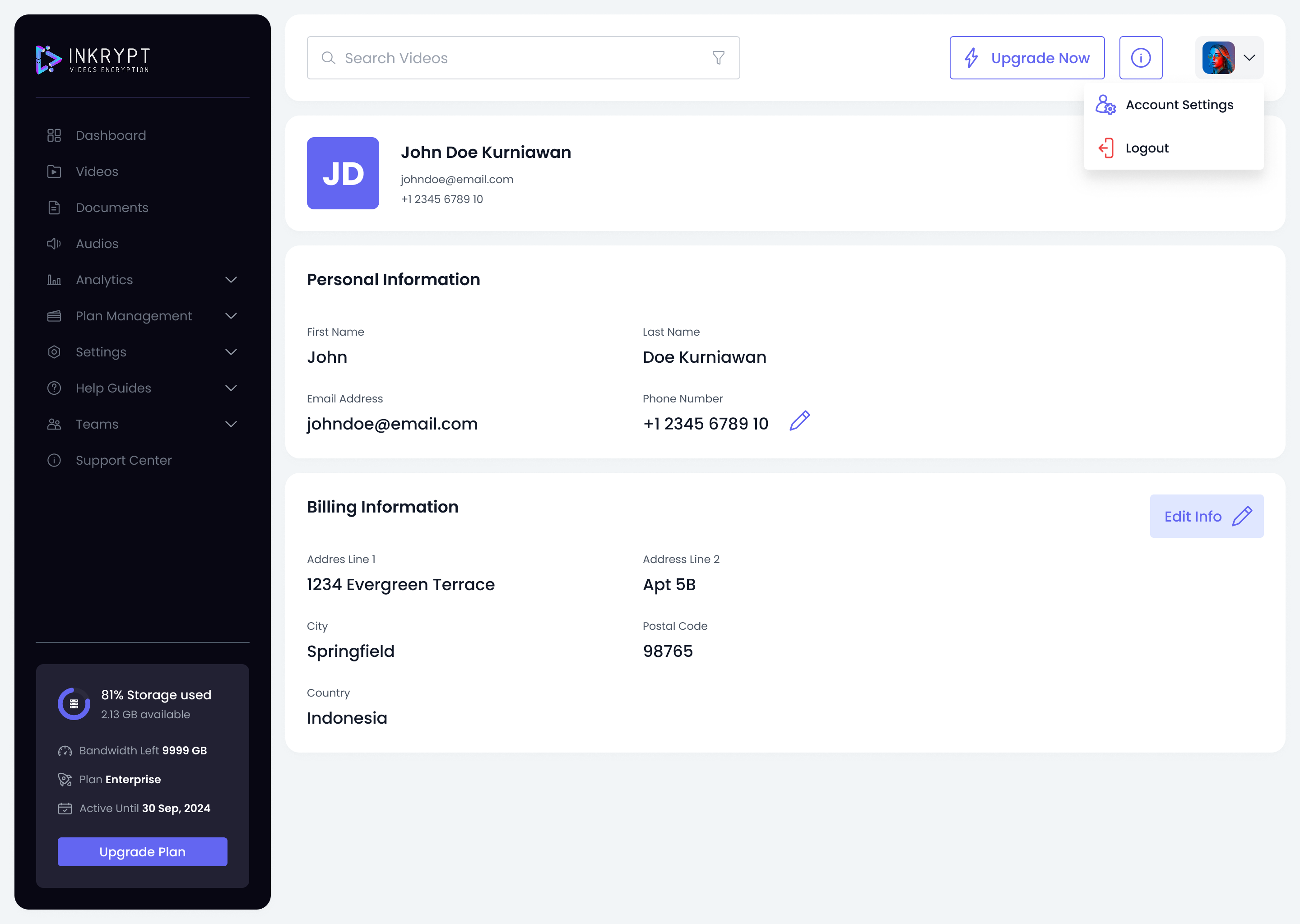
Update your personal information
- Find the “Personal Information” section: This includes fields like your name, email address, and phone number.
- Edit the phone number field: Click the pencil icon to enable editing.
- Enter your new phone number: For example, update your phone number to include your country code, or correct any wrong numbers.
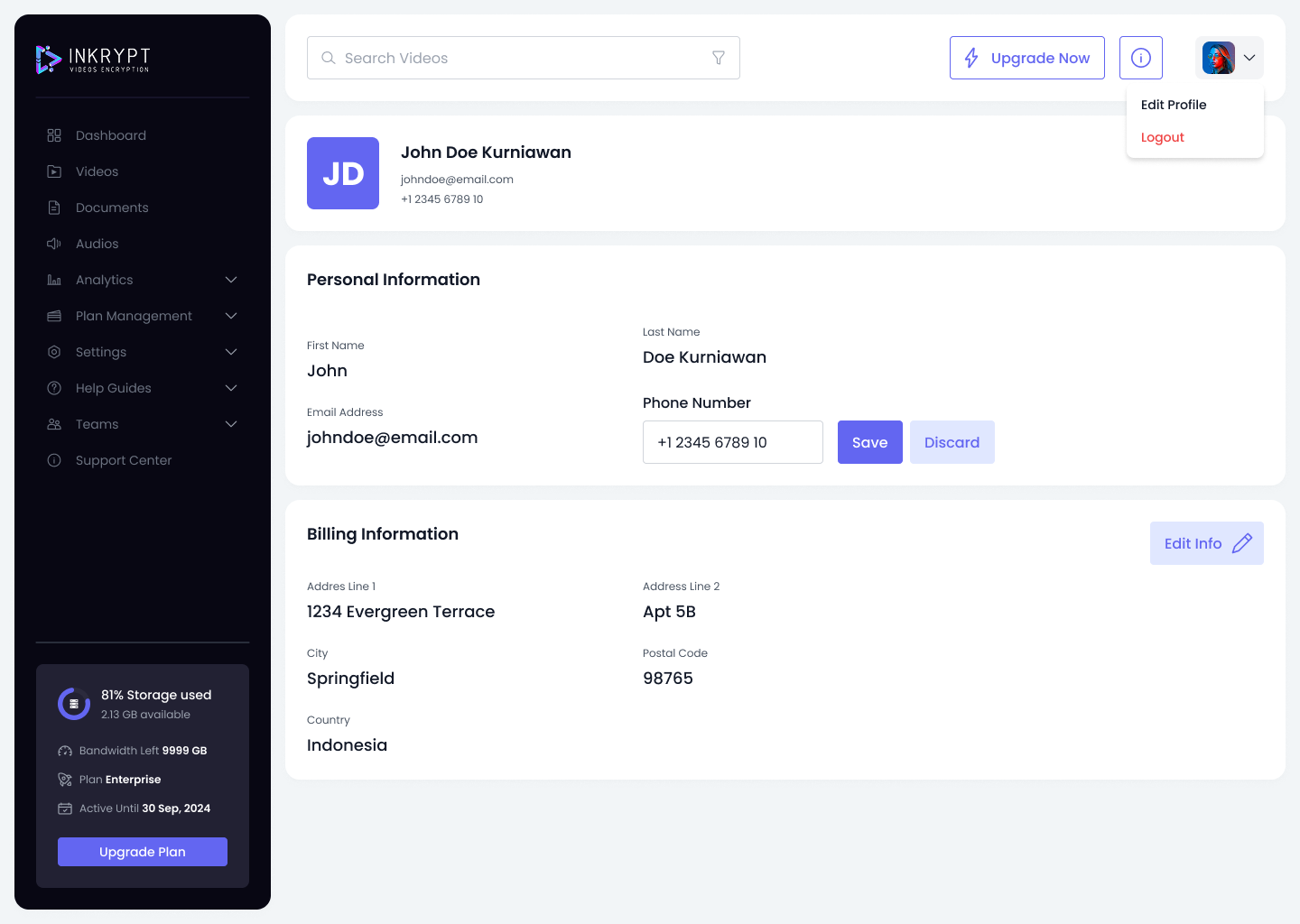
- Save your changes: Click Save once you’re done.
Pro Tip: Double-check your phone number for accuracy. A valid phone number helps us provide better support and security.
Update your billing information
- Scroll to the “Billing Information” section: Here, you’ll find fields for your address, city, postal code, and country.
- Make your edits: Correct or update each field as needed.
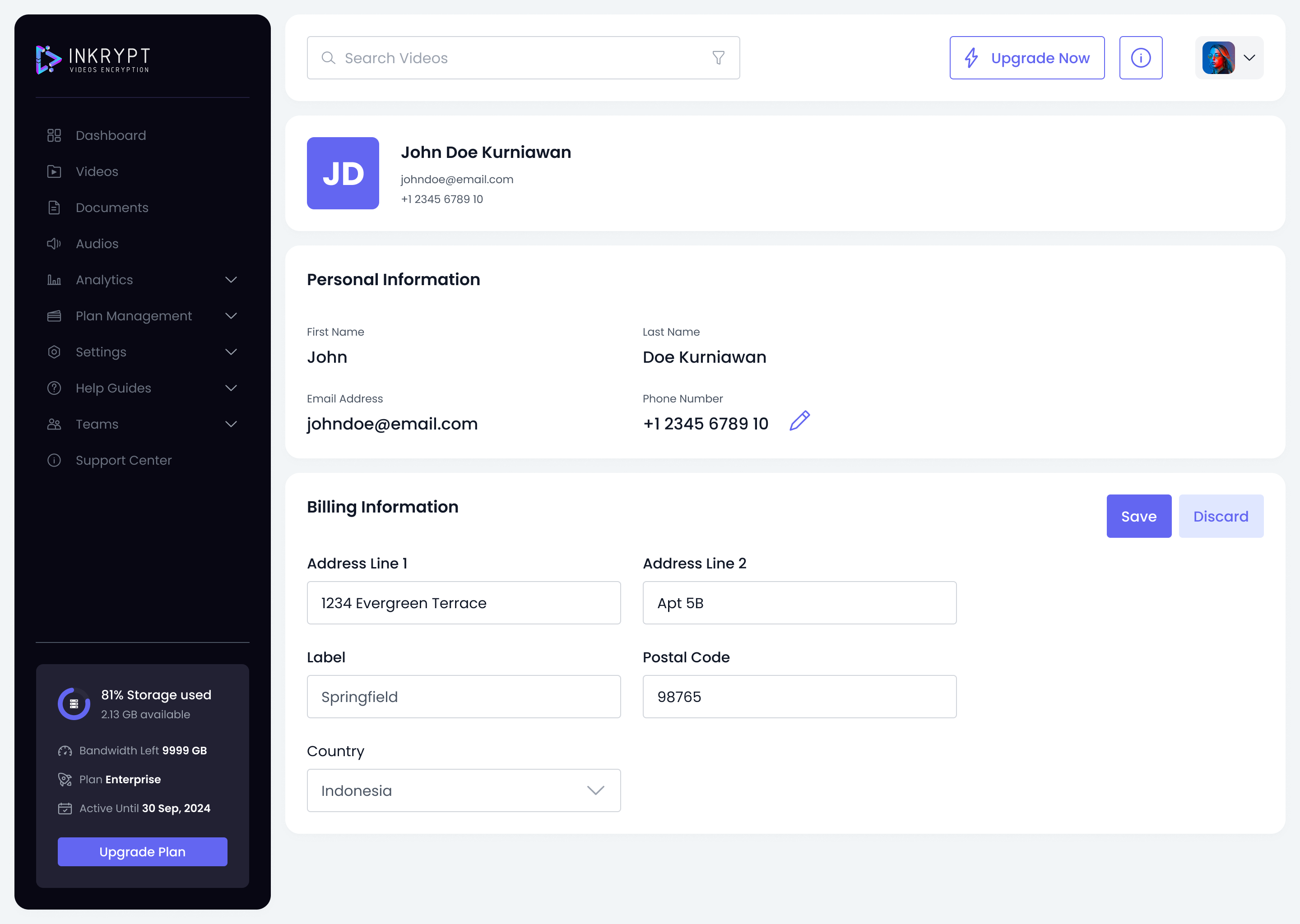
- Save your changes: Click Save to confirm.
Troubleshooting
-
Cannot save changes?
- Ensure all required fields are filled in.
- Check your internet connection and try again.
-
Incorrect billing details after saving?
- Refresh your browser to ensure you’re viewing the latest information.
- If the problem persists, reach out to our support team for further assistance.
That’s it!
You’ve successfully updated your user information in Inkrypt Videos. Keeping your profile and billing details up to date helps us ensure you receive important notifications and maintain accurate records. If you have any further questions, be sure to check out our other knowledge base articles or reach out to our support team.
© 2025 Inkrypt Videos. All Rights Reserved.