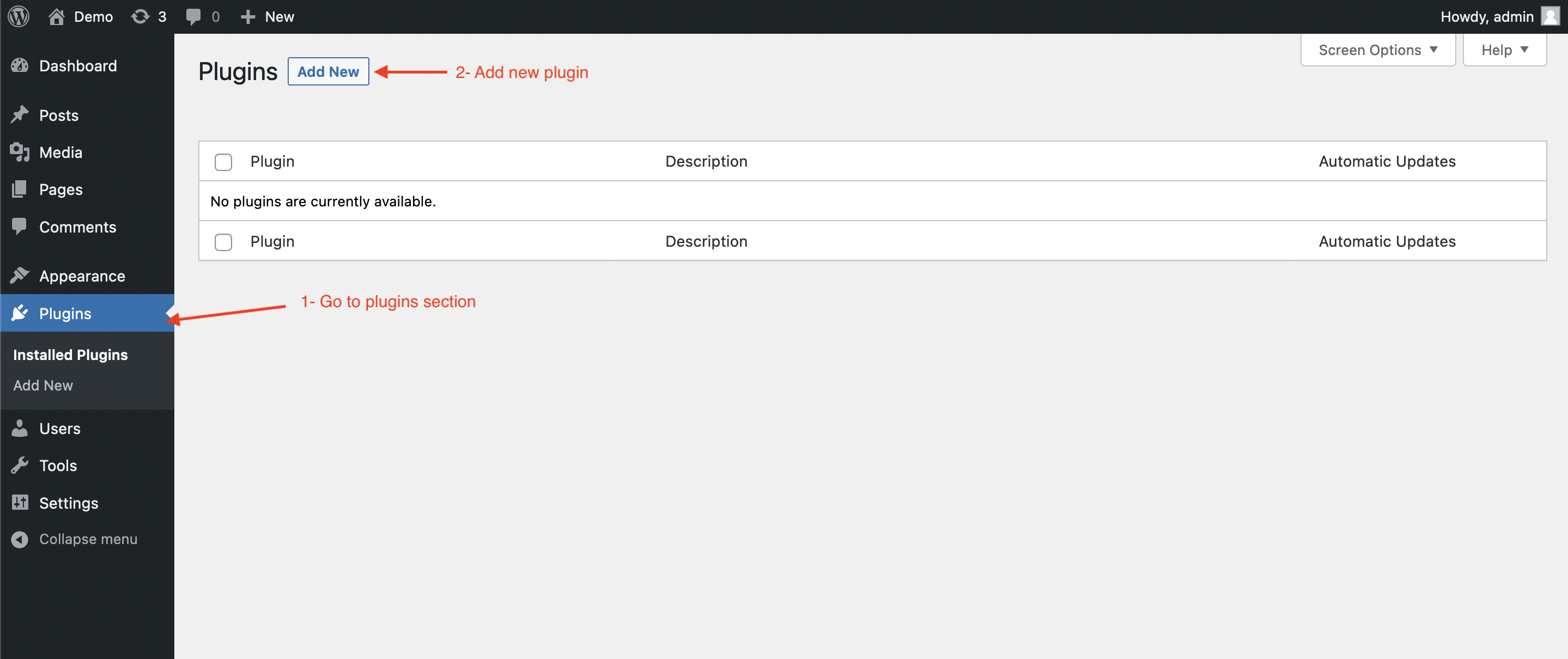
To begin, navigate to the Plugins section in your WordPress dashboard:
- Click on _Plugins _in the left-hand menu.
- Click on the Add New button at the top of the page.
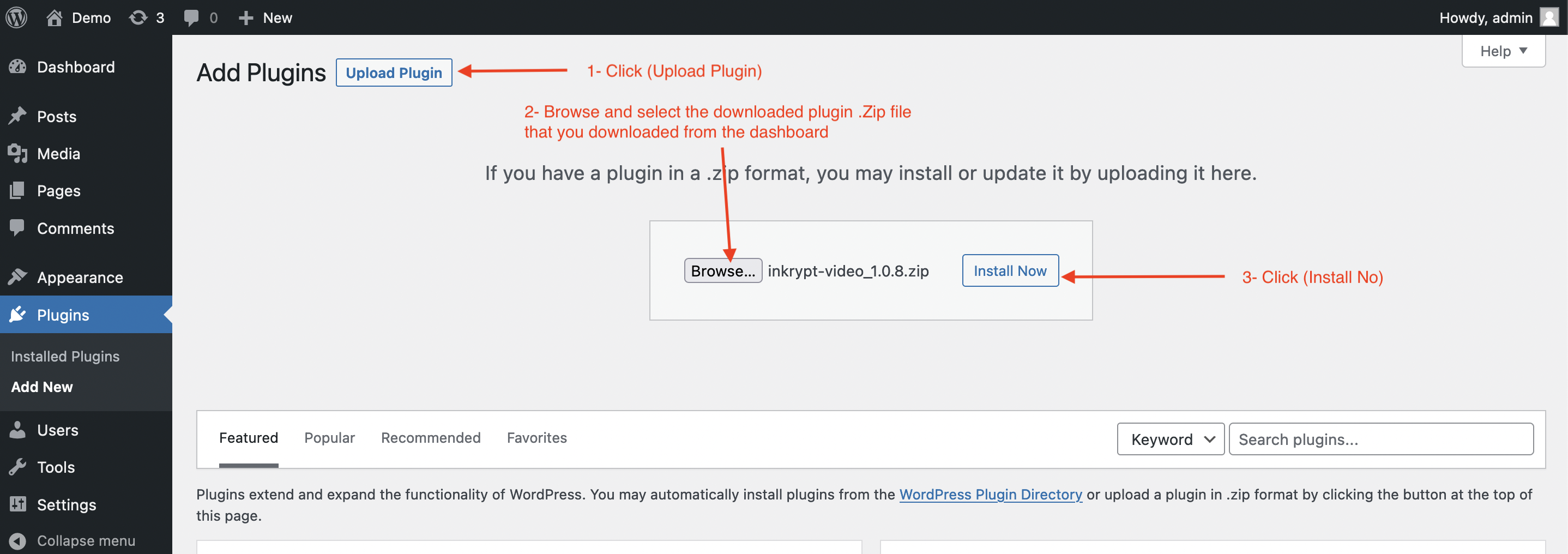
Next, upload the Inkrypt Videos plugin:
- Click on the Upload Plugin button at the top of the page.
- Browse and select the downloaded .zip file of the Inkrypt Videos plugin.
- Click Install Now to upload and install the plugin.
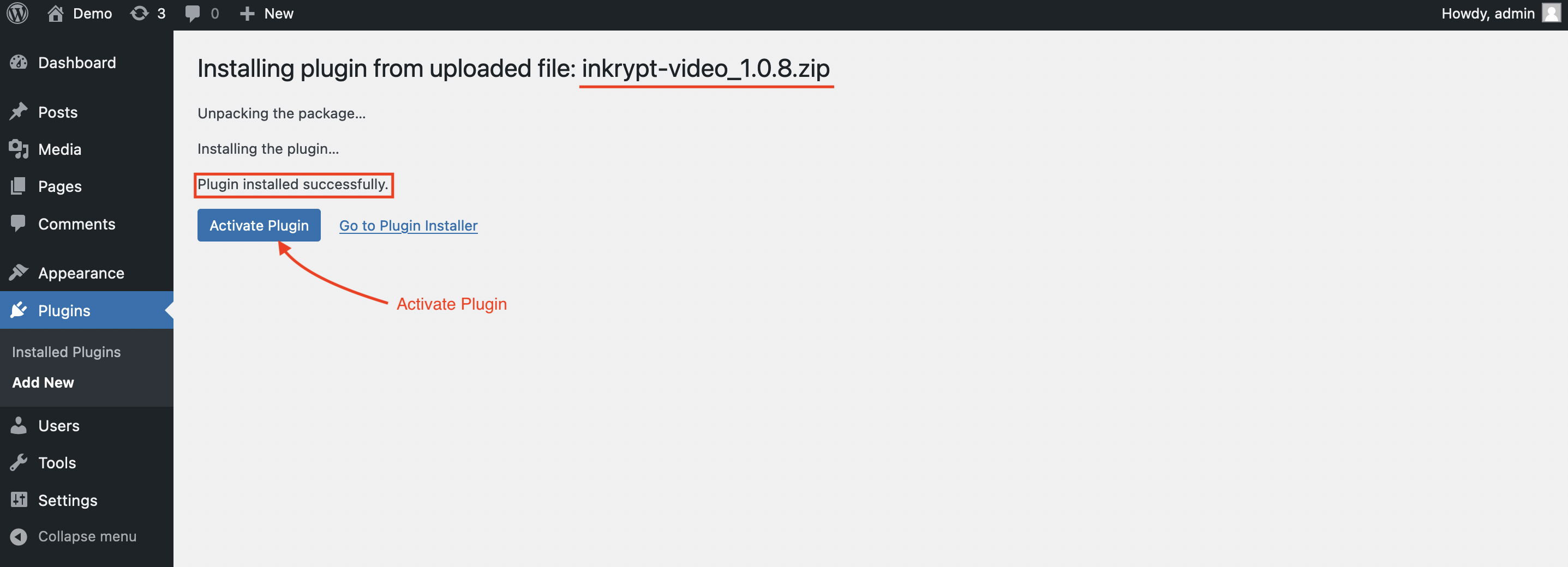
Once the plugin is installed:
- You’ll see a message saying Plugin installed successfully.
- Click on the Activate Plugin button to activate Inkrypt Videos.
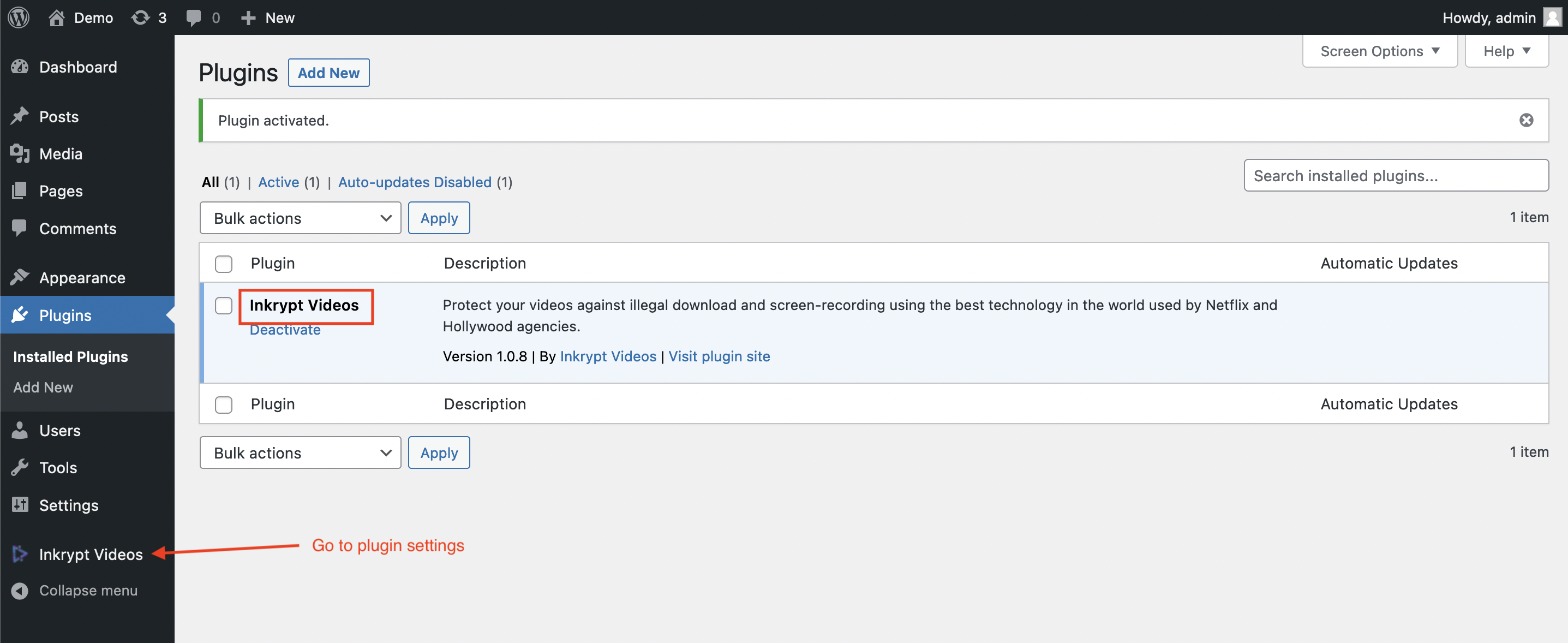
After activation:
- The plugin will appear in your list of installed plugins.
- Locate Inkrypt Videos in the plugins list and ensure it is active.
- Use the Inkrypt Videos menu in the left-hand sidebar to access plugin settings and configurations.