To embed a video using the Inkrypt Video widget, follow these steps:
-
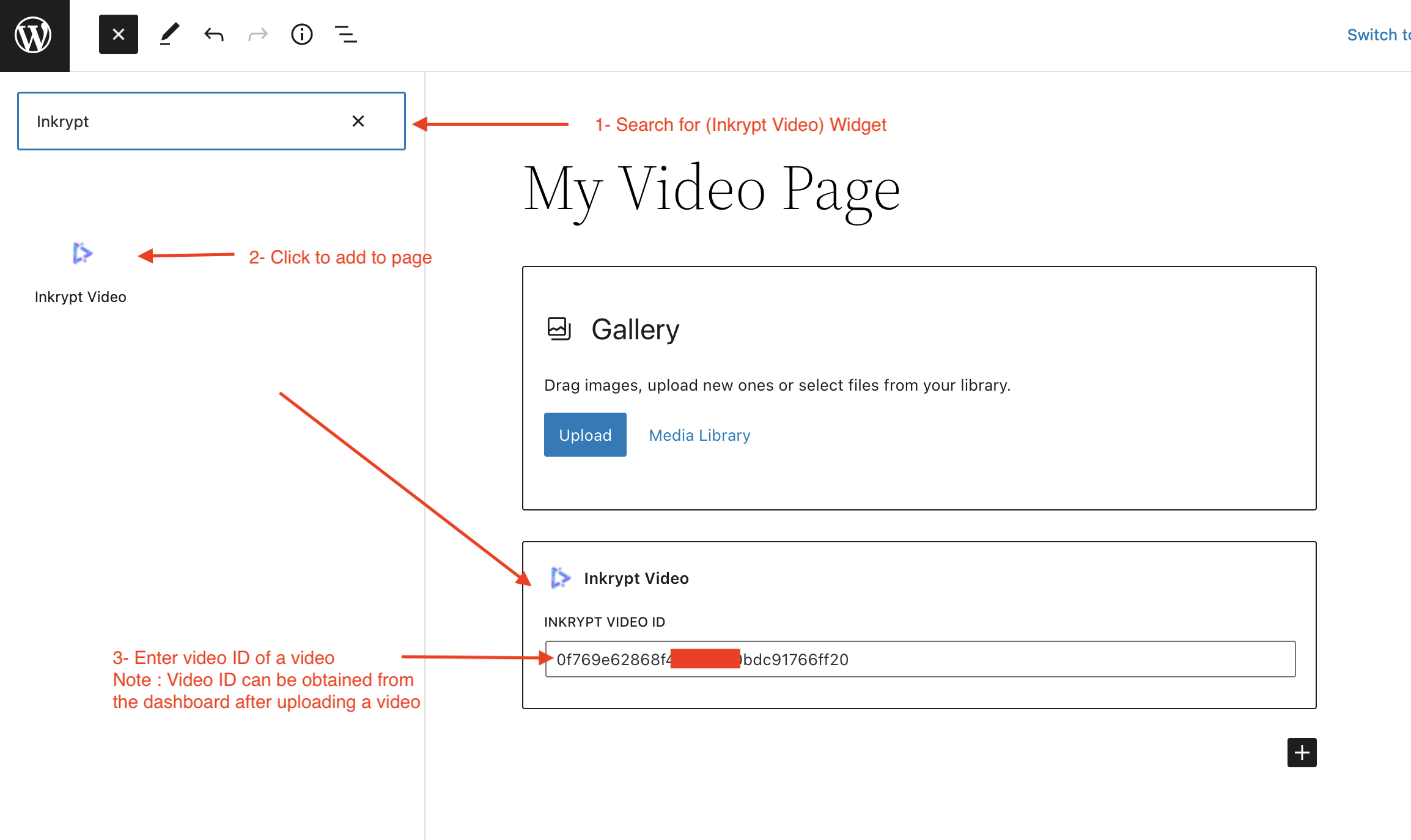
Search for the Widget:
In the WordPress block editor, search for "Inkrypt Video" in the widget search bar. -
Add the Widget to Your Page:
Click on the Inkrypt Video widget to add it to your page. -
Enter the Video ID:
- Paste the Video ID of the video you want to display.
- Note: The Video ID can be obtained from the Inkrypt dashboard after uploading a video.
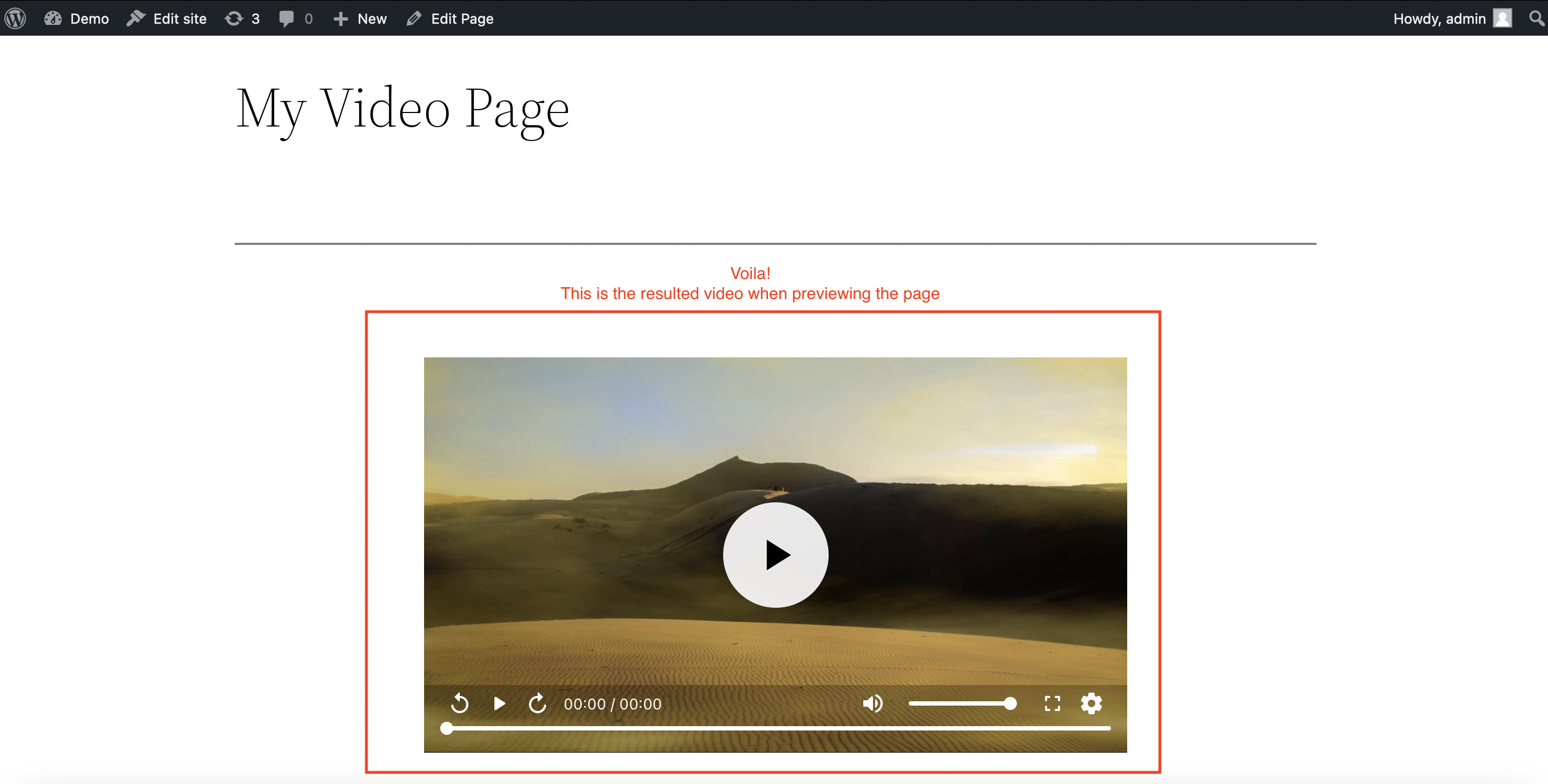
Once the Inkrypt Video widget is set up:
-
Preview the Page:
Click Preview to see how your video will appear on the live site. -
Check the Embedded Video:
The video with the watermark and playback settings will display as configured.